ColorUtilities 拓展:16进制颜色转换为AppInventor标准颜色
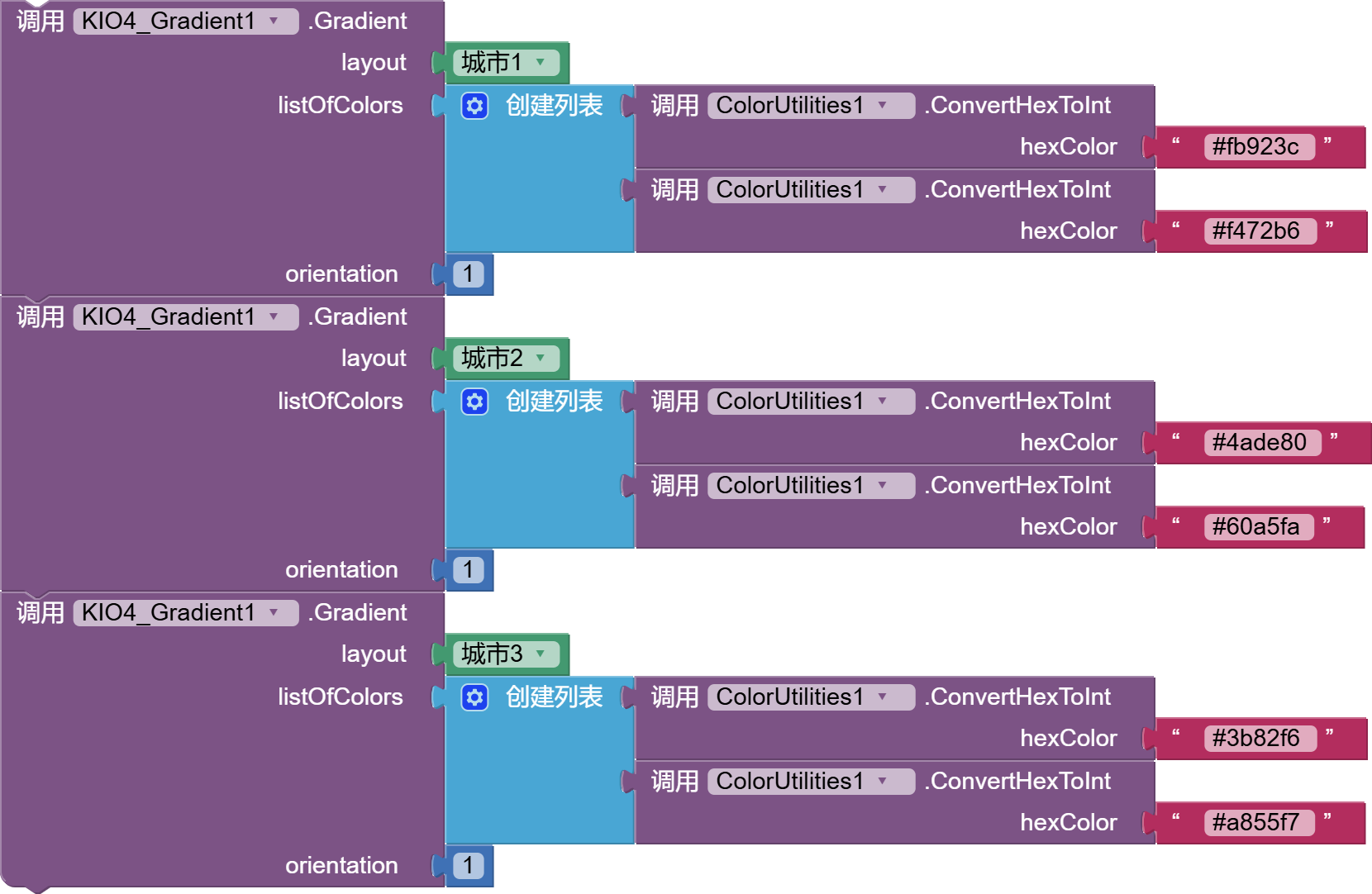
使用案例
根据主题色生成界面颜色
ColorUtilities 是不可见扩展。下面的积木把十六进制颜色转换为 App Inventor 颜色,再赋给布局和标签:
when Screen1.Initialize() {
  标签_结果.TextColor = ColorUtilities1.ConvertHexToInt("#4CAF50")
  垂直布局_内容.BackgroundColor = ColorUtilities1.ConvertHexToInt("#4CAF50")
}
还可以使用以下积木生成按钮的按下态颜色:
when 按钮_主题.Click() {
  按钮_主题.BackgroundColor = ColorUtilities1.DarkenColor(
    ColorUtilities1.ConvertHexToInt("#4CAF50"), 0.2)
}
还可以在同一事件中判断背景色明暗、选择文字颜色,并把整数颜色转换回十六进制文本:
when 按钮_检查颜色.Click() {
  if ColorUtilities1.IsDarkColor(ColorUtilities1.ConvertHexToInt("#4CAF50")) {
    标签_结果.TextColor = ColorUtilities1.LightenColor(
      ColorUtilities1.ConvertHexToInt("#4CAF50"), 0.8)
  } else {
    标签_结果.TextColor = ColorUtilities1.DarkenColor(
      ColorUtilities1.ConvertHexToInt("#4CAF50"), 0.2)
  }
  标签_颜色.Text = ColorUtilities1.ConvertIntToHex(
    ColorUtilities1.ConvertHexToInt("#4CAF50"))
}
拓展下载
- .aix 拓展下载:
 扫码添加客服咨询